
CONNECTED DEALERSHIP OPERATIONS
Run the dealership in one connected view.
Give sales, service, management, staff, and customers focused workspaces while the dealership keeps one durable record underneath.
THE DEALERSHIP JOURNEY
Follow the work from first contact through long-term ownership.
ShowRoomCore keeps the vehicle, customer, documents, service work, payments, and communication connected as the relationship changes.
REAL PRODUCT WORKSPACES
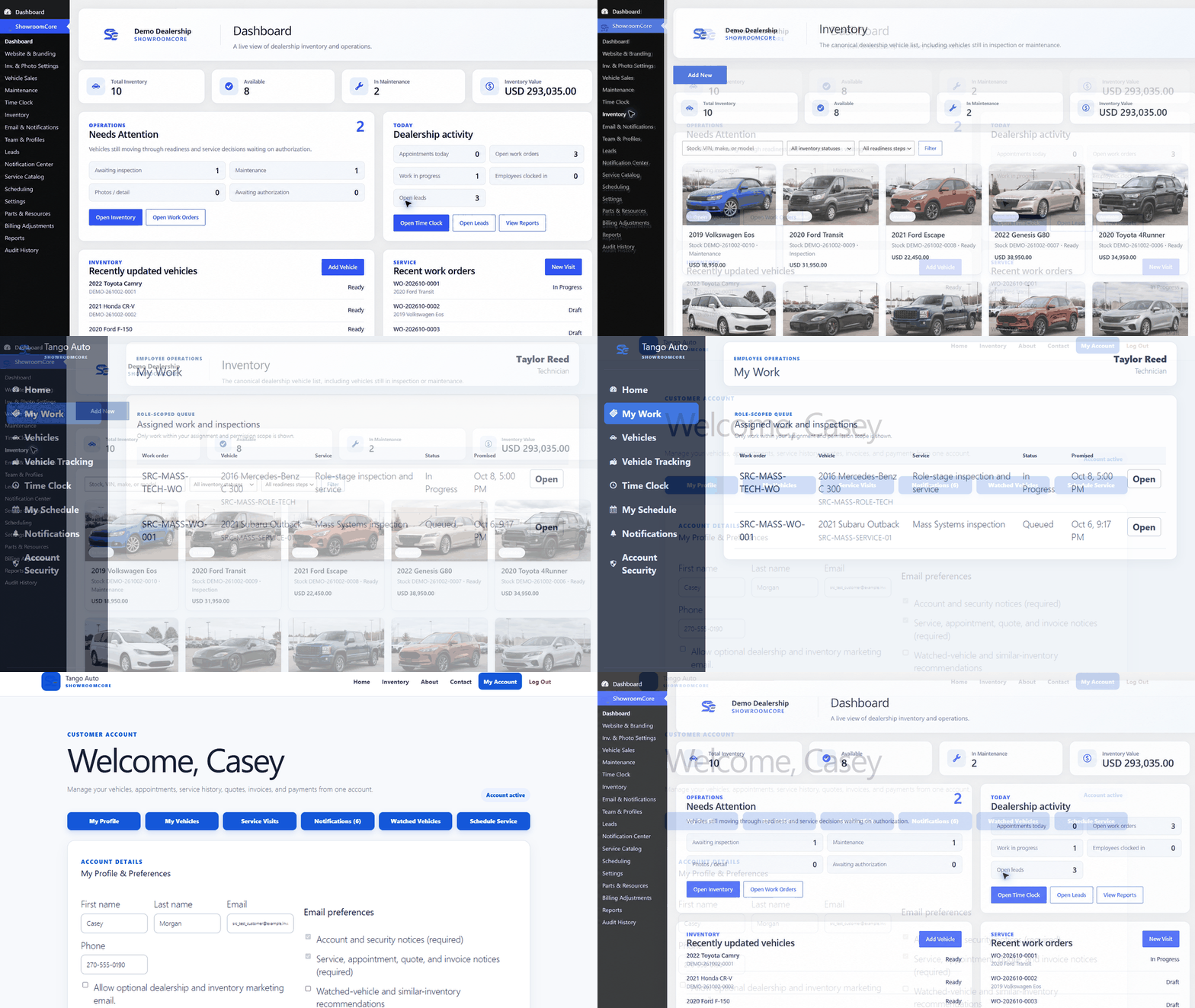
See the connected dealership, technician, and customer experience.
This preview uses the actual ShowRoomCore interface with demonstration data. It moves through the dealership dashboard, inventory, a technician work queue, and a dealership-branded customer account.
CONNECTED RECORDS AT A GLANCE
See what stays together behind each customer and vehicle.
Simplified product views that show how ShowRoomCore keeps the records and status information connected
Dealer connections→ShowRoomCore→QuickBooks-ready
Payment providers
WHAT YOUR TEAM CAN DO
Each department gets a focused workspace without creating another data silo.
Inventory & sales
- VIN decoding
- Photos & listings
- Pricing & deals
- Trade-ins & titles
Documents & e-signing
- PDF templates
- E-signatures
- Required documents
- Audit history
Finance & BHPH records
- Payment schedules
- Payment allocation
- Balances & terms
- Applications & decisions
Service operations
- Appointments
- Work orders
- Checklists & approvals
- Parts & history
Customers & communication
- Customer accounts
- Garage & watched vehicles
- Approvals & updates
- Notifications & invoices
Teams & accountability
- Roles & reporting
- Scheduling & time clock
- Timecards & approvals
- Commissions & estimates
Accounting & integrations
- Balanced ledger
- QuickBooks-ready
- Connected providers
- Inventory feeds
Security, backup & recovery
- 2FA & session controls
- Protected storage
- Signed update checks
- Backups & restore
COMPARE FEATURES
Compare the dealership capabilities that matter day to day.
See how ShowRoomCore compares with popular dealership platforms across inventory, sales, documents, service, staff, and accounting workflows.
| Capability | ShowRoomCore | Carsforsale.com | Frazer | AutoManager | DealerCenter |
|---|---|---|---|---|---|
| Inventory, VIN & photos | ✓ Included | ✓ Included | ✓ Included | ✓ Included | ✓ Included |
| Public inventory website | ✓ Included | ✓ Included | + Separate partner | + Separate product | + Separate product |
| CRM & lead management | ✓ Included | ✓ Included | ✓ Included | + Separate product | + Separate product |
| Forms & dealership documents | ✓ Included | ✓ Included | ✓ Included | ✓ Included | ✓ Included |
| BHPH & payment records | ✓ Included | — | ✓ Included | ✓ Included | — |
| Service operations | ✓ Included | — | — | ✓ Included | — |
| Staff scheduling & time clock | ✓ Included | — | — | — | — |
| Accounting & QuickBooks-ready export | ✓ Included | — | ✓ Included | ✓ Included | — |
Comparison reviewed October 17, 2026 using official information from Carsforsale.com, Frazer, AutoManager, and DealerCenter. A dash means the capability was not listed in the official product information reviewed; exact packaging can change.
See how the pieces work together.
Explore the actual interface, choose a plan, or tell us what your dealership needs.